
Swagger是一个开源的API文档工具,它允许开发人员描述、编写和测试API。它具有易用性强、描述格式简单、支持多语言等特点,被广泛应用于互联网公司和开发者社区。
使用Swagger,开发人员可以定义API的路径、请求方法、参数、返回值等细节信息,并通过Swagger UI进行API测试和文档展示。开发人员可以编写各种类型的文档描述,包括RAML和OpenAPI规范。
Ref
Swagger以及OpenAPI的介绍:[About Swagger Specification Documentation Swagger](https://swagger.io/docs/specification/about/) - flasgger:flasgger/README.zh.md at master · flasgger/flasgger · GitHub
- flask-restx:https://github.com/python-restx/flask-restx
flasgger
特性:
- Flasgger是一个Flask扩展,可从您的API中所有已注册的Flask视图中提取OpenAPI-Specification(以下简称”spec”)。
- Flasgger还集成 SwaggerUI,因此您可以访问http://localhost:5000/apidocs并可视化并与您的API资源进行交互。
- Flasgger还使用与可以验证以POST,PUT,PATCH形式接收的数据是否与YAML,Python字典,Marshmallow Schema所定义的spec一致。
- Flasgger可以使用简单的函数视图或方法视图(使用docstring作为规范),或使用@swag_from装饰器从YAML或dict获取spec,还提供可以使用SwaggerView调用Marshmallow Schemas作为spec。
- Flasgger与
Flask-RESTful兼容,因此您可以同时使用Resources和swagspec,看看restful示例。 - Flasgger还支持将
Marshmallow APISpec作为规范的spec模板,如果您使用的是Marshmallow的APISPec,请查看apispec示例。
以下是官网的示例。
基础使用示例
1
2
3
4
5
6
7
8
9
10
11
12
13
14
15
16
17
18
19
20
21
22
23
24
25
26
27
28
29
30
31
32
33
34
35
36
37
38
39
40
41
42
43
44
45
46
47
48
49

  from flask import Flask, jsonify
  from flasgger import Swagger

  app = Flask(__name__)
  swagger = Swagger(app)

  @app.route('/colors/<palette>/')
  def colors(palette):
      """示例端点按调色板返回颜色列表
      这是使用文档字符串作为spec。
      ---
      parameters:
        - name: palette
          in: path
          type: string
          enum: ['all', 'rgb', 'cmyk']
          required: true
          default: all
      definitions:
        Palette:
          type: object
          properties:
            palette_name:
              type: array
              items:
                $ref: '#/definitions/Color'
        Color:
          type: string
      responses:
        200:
          description: 颜色列表(可被调色板过滤)
          schema:
            $ref: '#/definitions/Palette'
          examples:
            rgb: ['red', 'green', 'blue']
      """
      all_colors = {
          'cmyk': ['cyan', 'magenta', 'yellow', 'black'],
          'rgb': ['red', 'green', 'blue']
      }
      if palette == 'all':
          result = all_colors
      else:
          result = {palette: all_colors.get(palette)}

      return jsonify(result)

  app.run(debug=True)
相应的解释:
parameters:该接口的参数definitions:定义的模式(schema),指定了一些模式(理解成一些数据结构)。在后面通过schema_id引用。responses:该接口的返回。
validation
1
2
3
4
5
6
7
8
9
10
11
12
13
14
15
16
17
18
19
20
  @app.route("/autovalidation", methods=['POST'])
  @swag_from("test_validation.yml", validation=True)
  def autovalidation():
      """
      Example using auto validation from yaml file.
      In this example you don't need to call validate() because
      `validation=True` on @swag_from does that for you.
      In this case it will use the same provided filename
      and will extract the schema from `in: body` definition
      and the data will default to `request.json`

      or you can specify:
      @swag_from('file.yml',
                 validation=True,
                 definition='User',
                 data=lambda: request.json,  # any callable
                 )
      """
      data = request.json
      return jsonify(data)
以及相应的yml.
1
2
3
4
5
6
7
8
9
10
11
12
13
14
15
16
17
18
19
20
21
22
23
24
  parameters:
    - name: body
      in: body
      required: true
      schema:
        id: User
        required:
          - username
          - age
        properties:
          username:
            type: string
            description: The user name.
            default: "Sirius Black"
          age:
            type: integer
            description: The user age (should be integer)
            default: "180"
          tags:
            type: array
            description: optional list of tags
            default: [ "wizard", "hogwarts", "dead" ]
            items:
              type: string
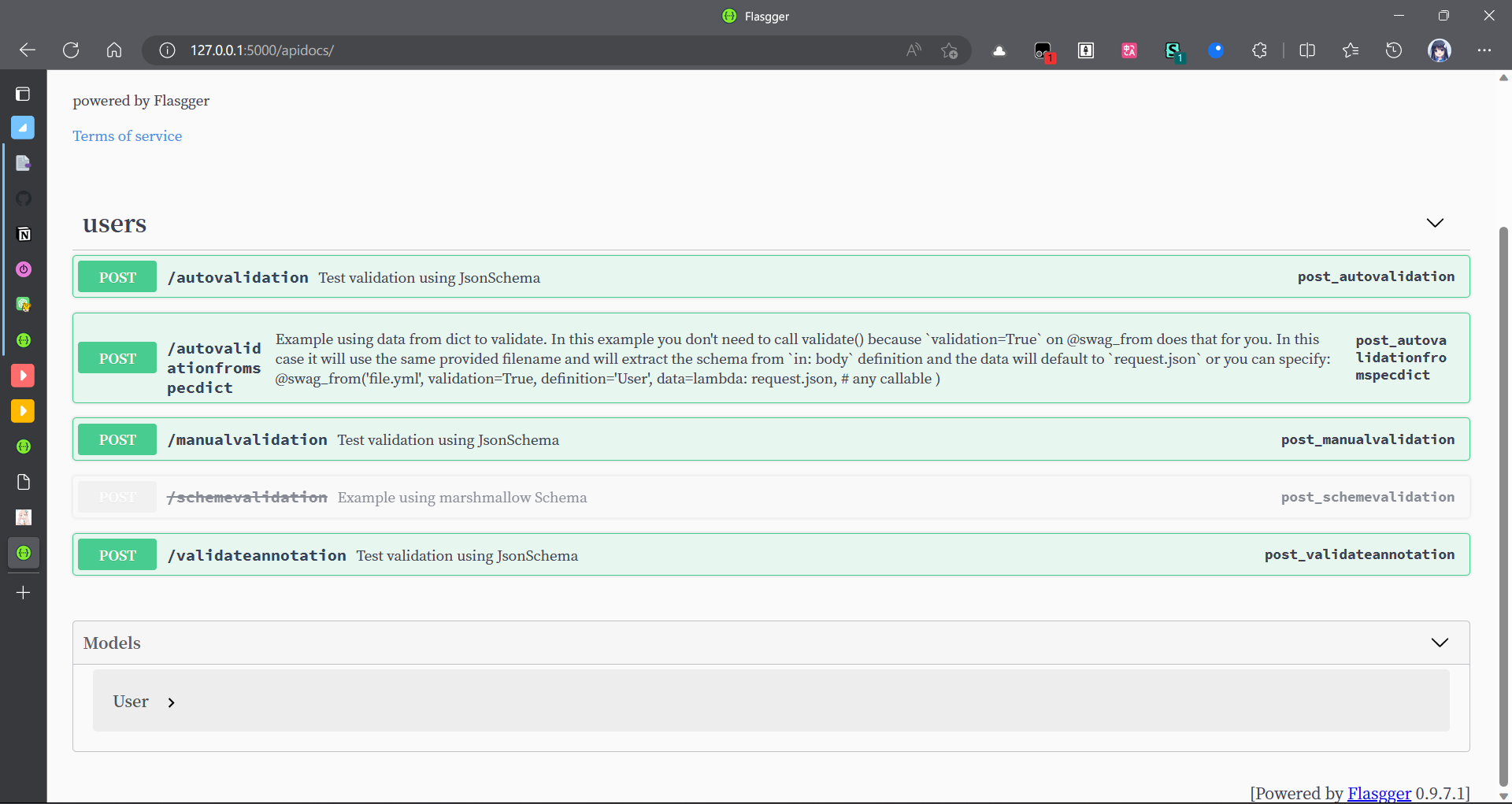
就会根据这里参数的要求,检查age是整数、username是字符串。如果输入参数不匹配,就会出现400错误。
效果:
flask-restx
根据flask-restplus发展而来,前者已经不维护无法使用。
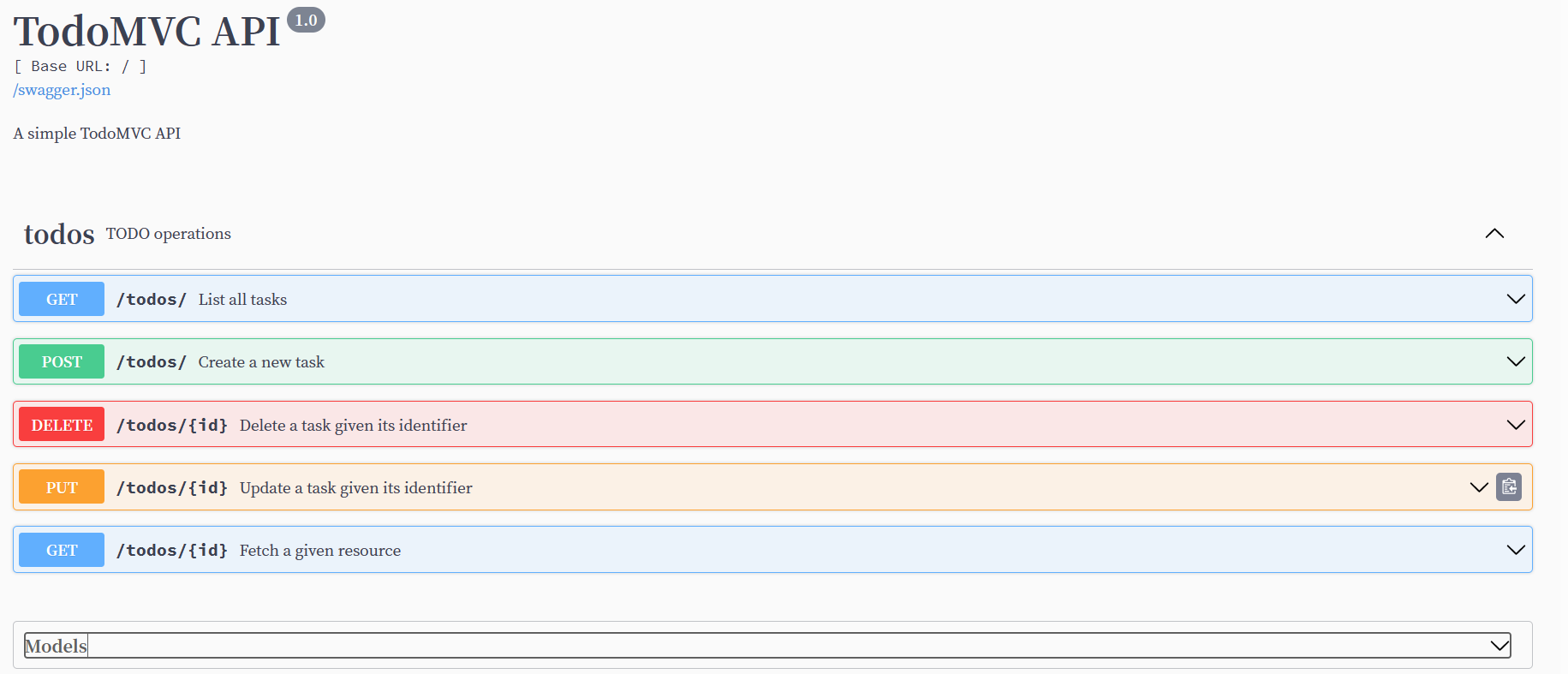
效果:
类似于Marshmallow APISpec 的风格。定义一些Schema叫做Model,和OpenAPI描述的definition类似。然后定义资源的概念,围绕资源添加CURD的接口,然后自动生成相应的Restful API文档。
